
Issues viewing event info using RadGrid in a custom widget
I'm using the fluent API to call the events data and inserting it into a RadGrid. The issue that I'm having is that some of the fields are appearing (Title, Street, City, State) and some are not (Start Date, End Date, Contact info etc). I've attached a screen shot of the event table in the database so you can see the data exists and also a screen shot of the RadGrid as it appears int he browser. Does anyone know why this is happening?
Here is my code-behind code:
protected void Page_Load(object sender, EventArgs e)
var events = from p in App.WorkWith().Events().Published().Get().ToList() select p; rgEvents.DataSource = events; rgEvents.DataBind();
Here is my RadGrid code:
<telerik:RadGrid runat="server" ID="rgEvents" Width="100%"> <MasterTableView AutoGenerateColumns="false"> <Columns> <telerik:GridBoundColumn DataField="title" HeaderText="Title" UniqueName="Title"></telerik:GridBoundColumn> <telerik:GridDateTimeColumn DataField="event_start" HeaderText="Starts"></telerik:GridDateTimeColumn> <telerik:GridDateTimeColumn DataField="event_end" HeaderText="Ends"></telerik:GridDateTimeColumn> <telerik:GridBoundColumn DataField="street" HeaderText="Street"></telerik:GridBoundColumn> <telerik:GridBoundColumn DataField="city" HeaderText="City"></telerik:GridBoundColumn> <telerik:GridBoundColumn DataField="state" HeaderText="State"></telerik:GridBoundColumn> <telerik:GridBoundColumn DataField="contact_name" HeaderText="Contact Name"></telerik:GridBoundColumn> <telerik:GridBoundColumn DataField="contact_cell" HeaderText="Contact Cell"></telerik:GridBoundColumn> <telerik:GridBoundColumn DataField="contact_email" HeaderText="Contact Email"></telerik:GridBoundColumn> </Columns> </MasterTableView></telerik:RadGrid>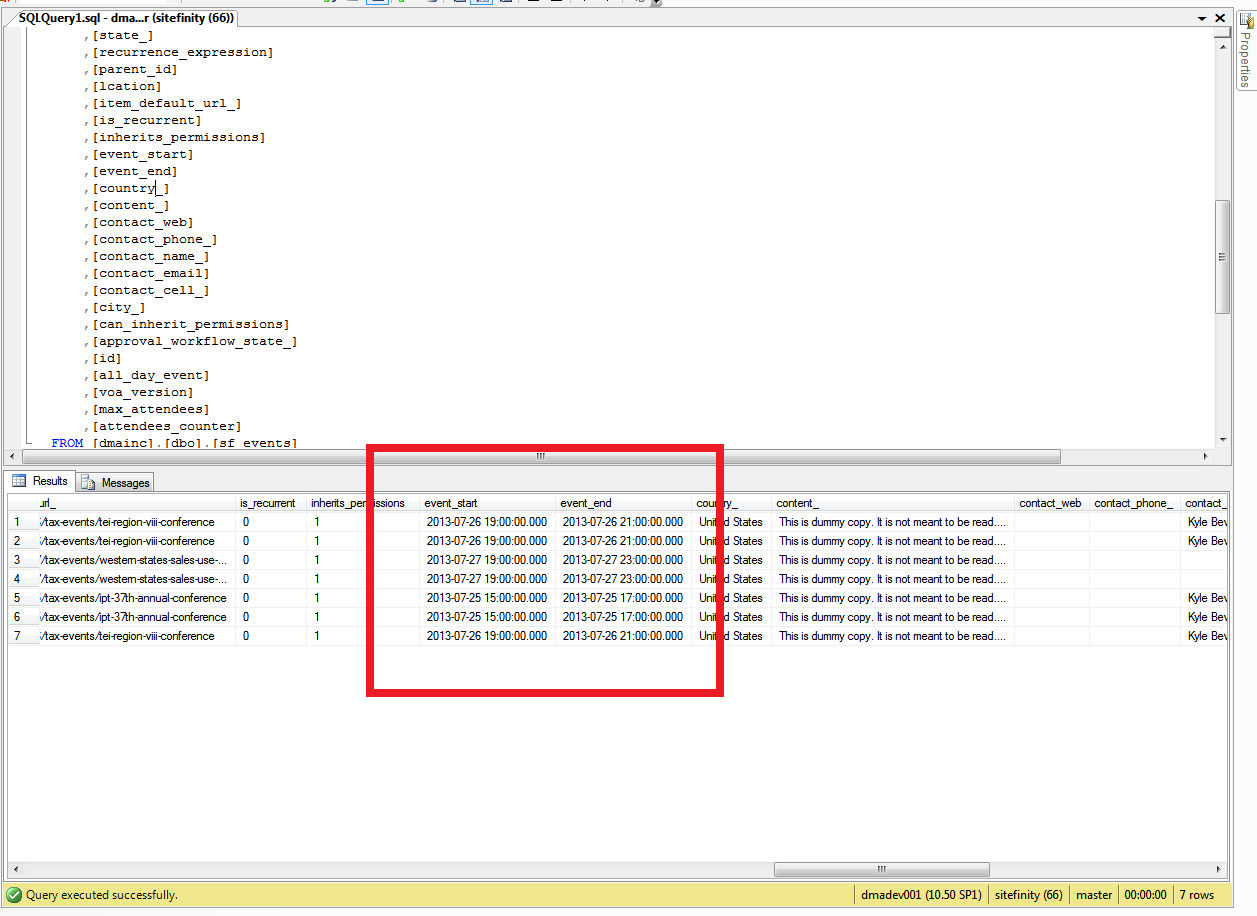

Try EventStart, EventEnd, ContactName, ContactPhone, ContactEmail
Thanks. That worked. How did you know to use those names? Is that in the API documentation? Because I can't find that anywhere. I'm running version 6.
EDIT: Never mind. I finally found the API reference and see where they are.